 Nam
Nam

In Part I, I vibe-coded NamLoop — an ad-free YouTube looper — in a weekend, half of it before bed. This part is about the least glamorous step: getting it onto the internet.
Except it wasn’t a step. Deploying NamLoop took less time than choosing its name. It now runs at loop.nam-ai.uk on a global CDN, with HTTPS, a custom domain, and deploy-on-push — for exactly $0/month. Same week, same motion, I also shipped two other sites the same way.
If you learned to deploy websites more than a few years ago, recalibrate. Here’s what it looks like now — and the honest catches.
Table of contents
Open Table of contents
What “deploying” used to mean
A short séance for everyone who remembers: renting a VPS. apt-get upgrade anxiety. Writing an nginx config by copying a Stack Overflow answer and praying. Certbot cron jobs for TLS. FTP-ing files at midnight and refreshing, twice, because the first refresh was cache. A calendar reminder to renew the thing before the site went dark.
Deployment used to be a discipline. For a weekend toy, it was often the reason the toy never left localhost.
NamLoop’s entire deployment, both commands of it
NamLoop is a Next.js app with no backend of its own — no database, no auth, no server state. All the “backend” it needs is YouTube’s IFrame API, called from the browser. That one property is what makes everything below trivial.
The repo ships with two small config files — wrangler.jsonc and open-next.config.ts (the OpenNext adapter that packages Next.js for Cloudflare’s Worker runtime, nodejs_compat enabled). With those in place, the entire first deployment was:
npx wrangler login    # one-time browser auth with Cloudflare
npm run deploy        # build + deploy to Cloudflare Workers
Two commands. The result: a live URL on Cloudflare’s free workers.dev subdomain — namloop.<my-account>.workers.dev — served from data centres in 300+ cities, TLS included, nothing to renew. The bundled Worker is about 1 MB gzipped and needs no other Cloudflare resources — no storage buckets, no KV namespaces, nothing to provision.
namloop.chankwunnam0304.workers.dev worked from minute one — shareable, HTTPS, global. The account slug in the middle is the tax. For a private tool you’d stop here; for anything you’ll say out loud, you want the next step.
The custom domain: one dashboard action
Because my personal domain already lives on Cloudflare, giving NamLoop a real address — loop.nam-ai.uk — was a single action in the Worker’s settings: add a custom domain. DNS record created automatically, certificate issued automatically, old workers.dev URL still works.
That’s the quiet trick of this ecosystem: your DNS is the centre of gravity. Whichever platform holds your domain makes its own deploys one click and everyone else’s two.
The CI/CD upgrade: stop typing deploy
npm run deploy from a laptop is fine until the laptop is the bottleneck. The grown-up version — git-connected builds — took a few minutes to set up: connect the GitHub repo in the Cloudflare dashboard, tell it the build command, done. From then on:
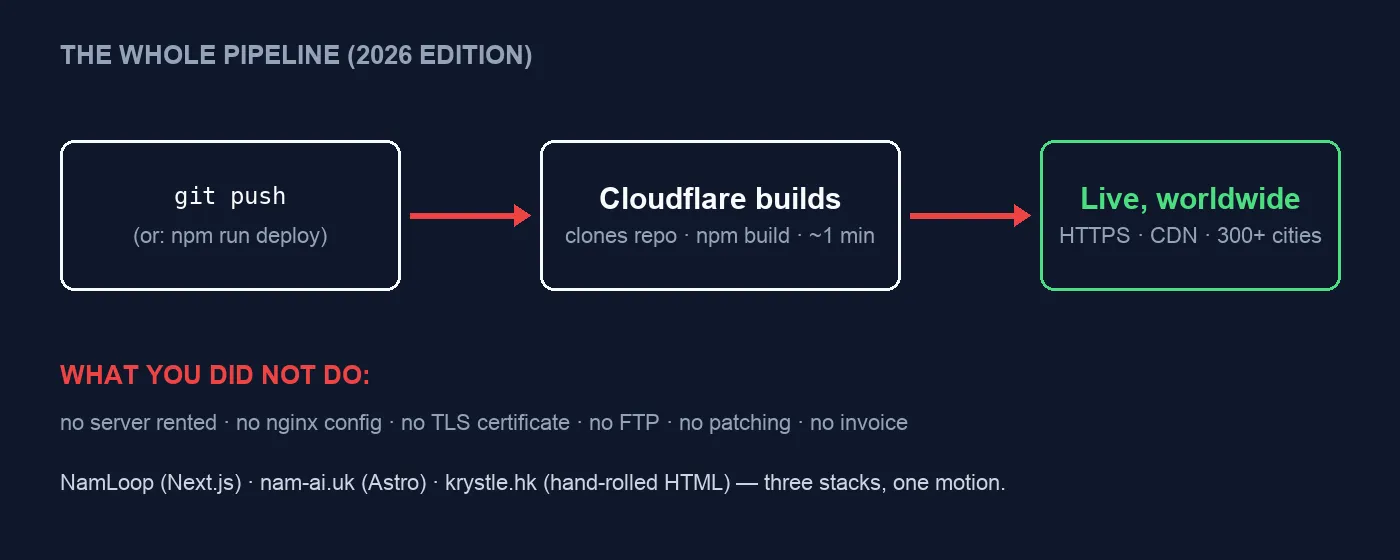
The whole pipeline. The second row is the part that still feels illegal.
Push to main → Cloudflare clones, builds, deploys — live in about a minute. I did this three times in one week, for three completely different stacks:
| Site | Stack | Deploy |
|---|---|---|
| loop.nam-ai.uk | Next.js 16 + OpenNext (this post) | Worker, git push |
| nam-ai.uk | Astro (static output) | Worker serving static assets, git push |
| krystle.hk | hand-rolled static HTML (its own series) | Worker serving static assets, git push |
Three stacks, one motion. For the static ones, the entire “infrastructure as code” is a file this size — this is nam-ai.uk’s real config, in full:
{
  "name": "nam",
  "compatibility_date": "2026-07-04",
  "assets": {
    "directory": "./dist",
    "not_found_handling": "404-page"
  }
}My first git-connected deploy failed. With no wrangler.jsonc in the repo, Cloudflare’s build detected Astro and helpfully tried to convert the site — installing an SSR adapter mid-build, which promptly exited 1. The fix was the config above: declaring “this is a folder of static files, serve it” stops all the magic. Lesson: the platforms are easiest when you tell them exactly what you are. Convention is great until it guesses wrong.
And because honesty is the house style: as I write this, NamLoop’s latest commit is literally titled “Test CI/CD” — with a red ✗ beside it on GitHub. Push-to-deploy is easy; it is not infallible. The difference from the old days is that a failed deploy is a red icon and a retry, not a broken production server at midnight.
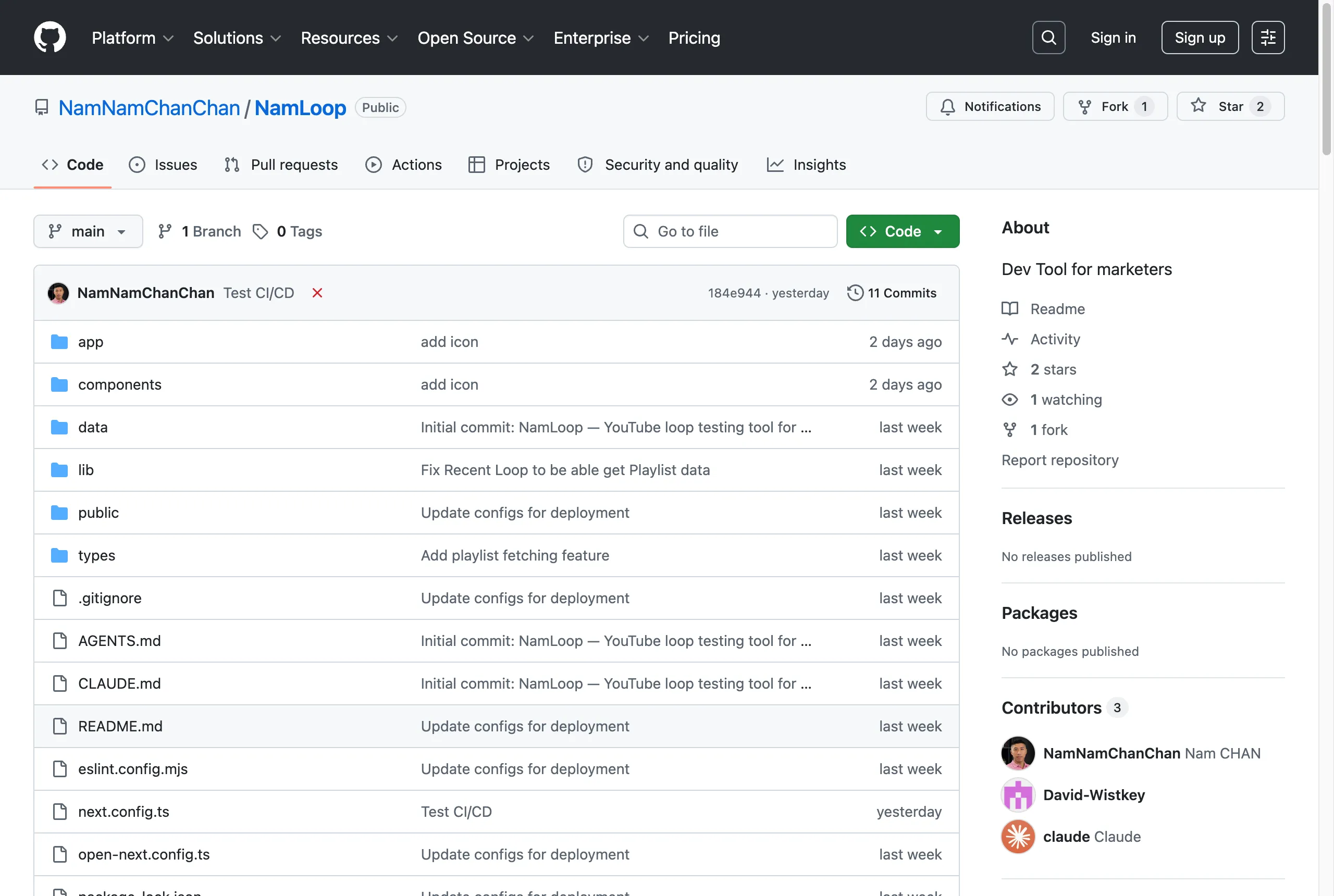
The repo, mid-experiment. Yes, the latest commit is “Test CI/CD” with a red cross. It counts as documentation.
Why “no backend” is the whole trick
None of this is unique to Cloudflare — Vercel and Netlify offer the same push-to-deploy loop, GitHub Pages does it for pure static. The reason it’s all free-tier-friendly and configuration-light is the shape of the project: static files and small edge functions replicate to hundreds of locations for near-zero marginal cost. Nothing is “running” for you between requests. There’s nothing to patch, nothing to scale, nothing to invoice.
Which is exactly why the honest caveats matter:
- The edge runtime is not Node. Real example from this very project: the Worker runtime doesn’t run Next’s image optimizer, so it’s disabled in config. Most things work; the exceptions announce themselves at build time.
- The moment you need state, the old world returns — database, auth, queues, backups. The platforms will happily sell you their versions (KV, D1, R2…), and that’s a fine road, but it’s a road, not a checkbox. “Deploying is trivial” is a statement about backend-less projects.
- Mild lock-in is the price of magic. A
wrangler.jsonchere, avercel.jsonthere. For a static folder it’s minutes to migrate; for a stack leaning on platform storage, it isn’t.
The takeaway
Somewhere in the last few years, deployment stopped being a skill and became a default — for this whole class of project, the web got a “save button”. The gap Part I talked about — between “I wish this existed” and “it exists” — had two halves. AI collapsed the building half. This is the other half, already collapsed, sitting quietly in a free tier.
Which means the last excuse is gone. The hard part isn’t building it, and it isn’t shipping it. It’s deciding it deserves to exist.
NamLoop is live at loop.nam-ai.uk, the code is on GitHub — and if your team still deploys the midnight-FTP way, I can help with that — email me.
NamLoop series: Part I — vibe-coding it in a weekend · Part II — you’re here.