 Nam
Nam
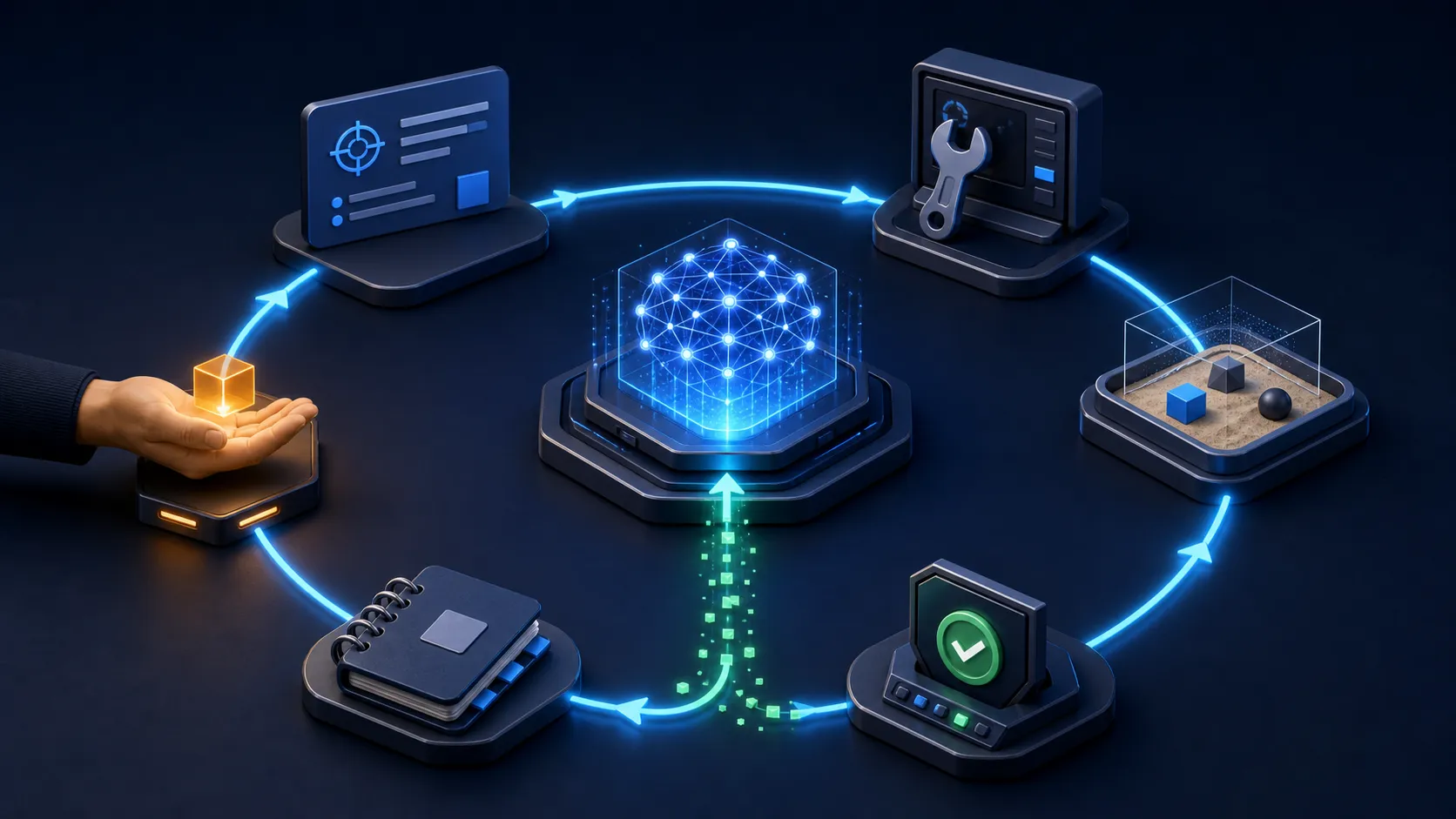
The model is only the centre. The engineered loop around it is what turns repeated attempts into controlled progress.
“Loop engineering” is one of those new AI phrases that sounds more mysterious than the thing itself.
The short version is: instead of manually prompting an agent through every step, you design a bounded system that gives it work, lets it act, checks real evidence, records the result and decides whether to run again.
A prompt asks for one attempt. An agent harness gives that attempt tools and an environment. A loop adds recurrence, verification, state and a reason to stop.
The name is new; the architecture is not. Software engineers have always built feedback systems, job runners, state machines, retries and quality gates. What changed is that the worker inside the loop can now interpret messy context, choose tools and adapt its next action.
Table of contents
Open Table of contents
First, what is an agent loop?
At runtime, most tool-using agents already follow a small inner cycle:
- The model reads the goal and current state.
- It chooses an action or calls a tool.
- The environment returns an observation: a file, test result, API response or error.
- The model uses that evidence to decide the next action or produce a final answer.
OpenAI’s Agents SDK documentation describes its runner in almost exactly those terms: call the model, execute any tool calls or handoffs, append the results, and run again until there is a final output or the turn limit is reached. Anthropic’s guide to building effective agents is even more direct: agents are typically models using tools in a loop, grounded by feedback from the environment and controlled by stopping conditions.
That is the inner loop. It explains how one agent run moves.
Loop engineering usually means designing the outer loop around those runs:
- What triggers the work?
- Which item should the agent take next?
- What context and permissions does it receive?
- Where can it act safely?
- What evidence counts as success?
- Who or what checks that evidence?
- What state survives until the next run?
- When does the loop retry, escalate or stop?
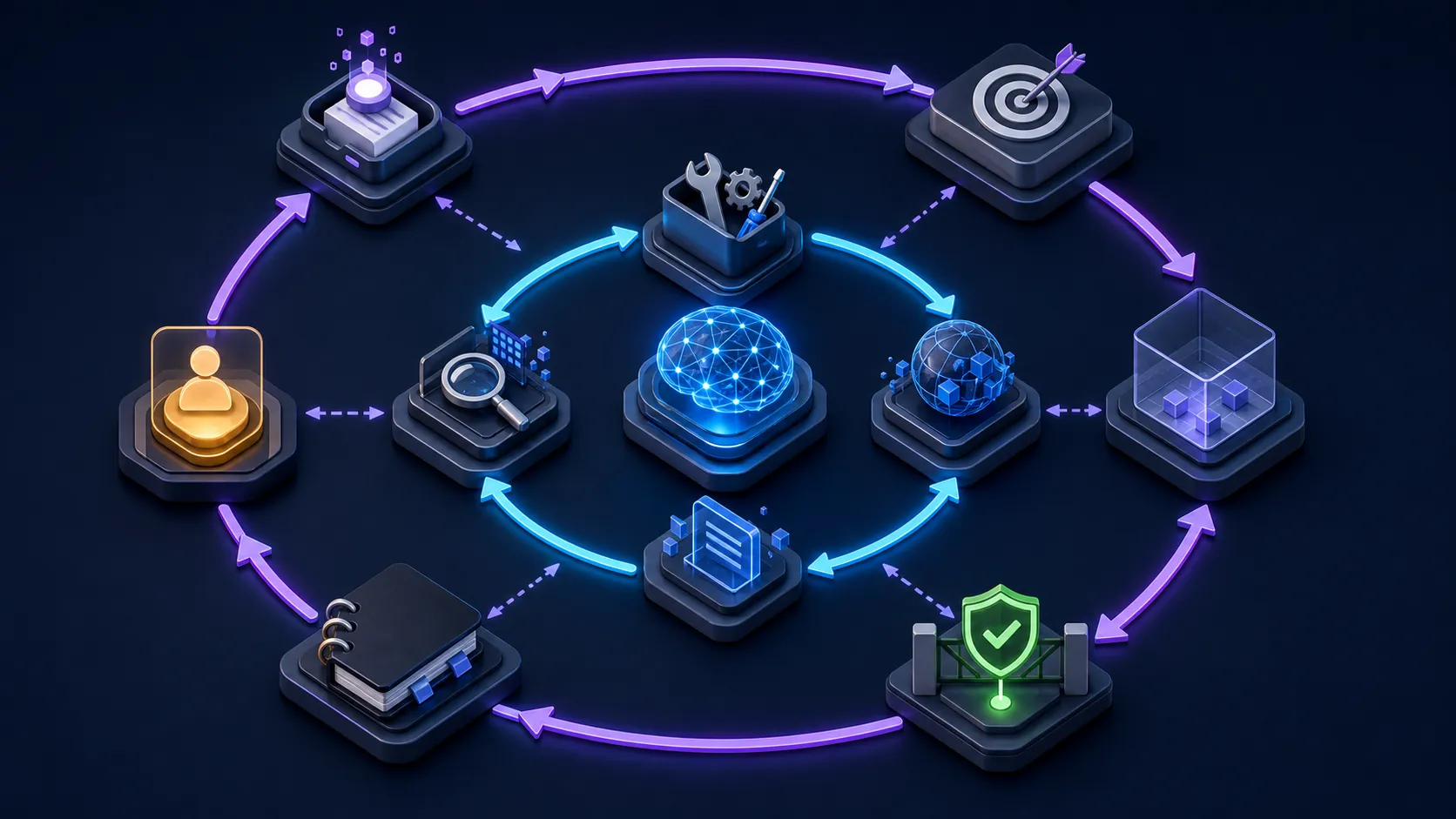
The inner loop completes a run. The outer loop decides which runs should exist, what they may change and what “done” means.
Addy Osmani’s recent essay on loop engineering describes this layer as a small system that finds work, hands it out, checks it, records what is done and selects the next thing. A June 2026 preprint on coding-agent loops proposes a similarly useful “loop specification”: trigger, goal, verification, stopping rule and memory. The vocabulary is still settling, but the practical shape is clear.
Prompt, harness and loop are different layers
| Layer | The question it answers | Typical contents |
|---|---|---|
| Prompt | What should the model do now? | Goal, context, constraints, output format |
| Harness | How can one run do the work safely? | Tools, sandbox, permissions, context loading, tracing |
| Loop | How does the work repeat and converge? | Trigger, queue, verifier, state, budget, retry and stop rules |
You still need good prompts. Loop engineering does not replace prompt engineering any more than a deployment pipeline replaces good code. It moves the leverage point: the prompt becomes one component inside a repeatable operating system for the task.
This distinction also prevents a common mistake—putting a vague prompt inside an infinite retry and calling it an agent system. Repetition alone does not create progress. The observation must contain useful evidence, and the next attempt must be allowed to change based on it.
The eight parts of a useful loop
I find it easiest to design a loop as a short contract.
- Trigger — a failing CI job, a new support ticket, a daily schedule or a human request.
- Goal — one outcome that can become true, not “keep improving everything”.
- Context — the relevant repository files, ticket, policies and previous state; not every document you own.
- Actions — a small toolset with explicit inputs, outputs and permission boundaries.
- Observation — fresh results from the real environment: tests, logs, diffs, metrics or API responses.
- Verifier — a check that decides whether the evidence satisfies the goal.
- State — what was tried, what changed, what remains open and why the last attempt failed.
- Terminal states —
done,needs_human,blocked,budget_exhaustedorunsafe; never just “run forever”.
If you cannot explain what evidence would prove the job is complete, do not make the job autonomous yet. A confident agent message saying “done” is an output, not verification.
For deterministic work, the strongest verifier is usually ordinary software: tests, type checks, schemas, policy engines, numerical thresholds or a clean diff. A second model can critique tone or ambiguity, but it should not be the only judge of a change with real consequences.
Anthropic calls the maker-checker version an evaluator-optimizer workflow: one model produces, another evaluates and feeds back. The pattern is useful when the criteria are clear and another iteration can measurably improve the result.
A small loop I would actually use
Start with something boring and verifiable: repair one known CI failure in an isolated branch, without merging it automatically.
Here is the loop contract before any framework code:
name: repair-one-ci-failure
trigger: one reproducible failed check selected by a human
goal: the selected check passes without breaking the rest of the test suite
context:
  - failing test output
  - relevant source and test files
  - project engineering rules
allowed_actions:
  - inspect files
  - edit files in an isolated worktree
  - run approved test and static-analysis tools
verification:
  - reproduce the failure before editing
  - selected check passes after editing
  - broader test suite passes
  - diff contains only relevant changes
limits:
  attempts: 5
  wall_clock_minutes: 30
  destructive_actions: false
terminal_states:
  - done
  - needs_human
  - blocked
  - budget_exhausted
The implementation can be a framework, an existing coding agent, a scheduled automation or a small state machine. Conceptually, it only needs to do this:
state = load_state()

for attempt in range(1, 6):
    action = agent.next_action(goal=goal, state=state)
    observation = sandbox.run(action)
    evidence = verifier.check(observation=observation, workspace=sandbox)

    state.record(attempt=attempt, action=action, evidence=evidence)

    if evidence.accepted:
        finish(status="done", evidence=evidence)
        break
    if evidence.needs_human or evidence.unsafe:
        finish(status="needs_human", evidence=evidence)
        break
else:
    finish(status="budget_exhausted", evidence=state.latest_evidence)
The model is important, but notice where most engineering decisions live: the allowed actions, isolated workspace, evidence object, attempt limit and terminal states.
How to introduce loop engineering safely
1. Choose work with a visible feedback signal
Good first loops have cheap, repeatable evidence: a failing test becomes green, a broken link returns successfully, a schema validates, a queue item receives the required fields.
Avoid starting with “improve the product” or “make customers happier”. Those may be valuable goals, but they hide too many judgements inside the loop.
2. Run it manually before scheduling it
Trigger the first ten runs yourself. Read the proposed action, the tool results, the diff and the verifier output. You are learning where the specification is weak.
Only add a timer or event trigger after the supervised version behaves predictably. Automation multiplies both good design and bad assumptions.
3. Keep the action surface narrow
Give the loop only the tools it needs. Separate read tools from write tools. Use an isolated branch, worktree, container or sandbox. Require approval before production changes, external messages, payments, deletion or access expansion.
OpenAI’s current human-in-the-loop guidance supports exactly this pause-and-resume pattern for sensitive tool calls. The general lesson is vendor-neutral: approval is a state in the loop, not an informal hope that the model will ask nicely.
4. Make the checker independent where it matters
Do not ask the same context-loaded agent, “Are you sure?” and treat its yes as evidence. Prefer deterministic checks first. For qualitative review, use a separate evaluator with a narrow rubric and give it the artifact plus evidence—not the maker’s persuasive explanation.
5. Persist small, inspectable state
Save the task ID, attempts, evidence, decisions and terminal status outside the conversation. Do not use a growing transcript as the database. Tomorrow’s run should know what happened without rereading every token from today.
6. Budget every dimension
Set maximum turns, tool calls, elapsed time and spend. Also cap the number of open work items and retries for the same failure. A loop that cannot finish should become a visible queue item for a person, not a silent invoice.
7. Measure the loop, not just the model
Track successful completion, false “done” decisions, human escalations, reverted changes, average attempts, time and cost. A more capable model can still produce a worse system if the verifier is weak or the tools return confusing observations.
The failure modes worth expecting
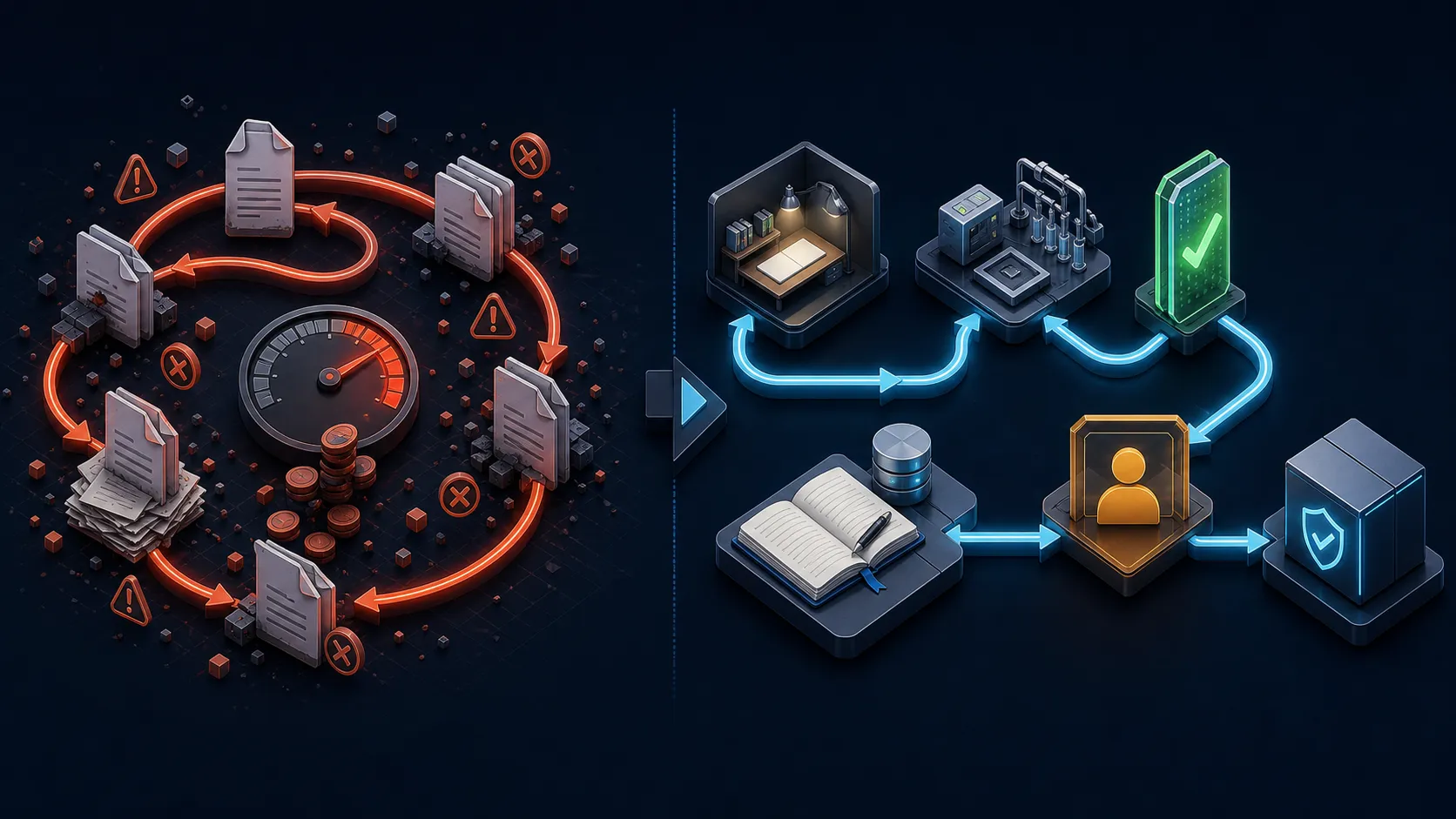
Without evidence and exit rules, repetition compounds error. With bounded tools and trusted checks, it can compound useful progress.
- Self-approval: the maker grades its own work and explains away the evidence.
- Runaway retries: the loop keeps changing things because no terminal state covers uncertainty.
- Stale state: yesterday’s diagnosis is treated as current truth after the environment changes.
- Permission creep: a convenient new tool quietly expands the blast radius.
- Parallel collision: two workers edit the same state or files without isolation.
- Verifier gaming: the agent optimizes for the check rather than the real outcome.
- Comprehension debt: changes arrive faster than the team can understand and own them.
It does not know whether it is amplifying good judgement or avoiding judgement. Keep humans at the boundary where business meaning, safety and accountability enter.
This is why I would not begin with a dark, fully autonomous “software factory”. I would begin with one loop, one queue, one isolated workspace, one evidence gate and one human who reads every result. Expand only when the operating data earns it.
When not to build a loop
Use a normal prompt or a fixed workflow when the task is one-off, the steps are known, the feedback is subjective or the cost of a wrong action is high and hard to reverse.
Anthropic’s guidance is sensible here: start with the simplest solution and add agentic complexity only when it demonstrably improves the outcome. If a script can solve the task reliably, use the script. If one model call plus retrieval works, do not add five agents and a scheduler.
Loop engineering is most useful when three things are true:
- the work recurs;
- the next action genuinely depends on fresh environmental feedback; and
- success can be checked well enough to control repetition.
The real takeaway
AI agent loop engineering is not a magic replacement for software engineering. It is software engineering applied to repeated agent work.
The useful shift is from asking, “What is the perfect next prompt?” to asking:
What system will choose the next task, constrain the action, collect trustworthy evidence, remember the state and stop for the right reason?
Design that well and the agent needs less hand-holding without becoming less accountable. Design it badly and you have simply automated confident retries.
My shortest version is: do not loop the prompt; loop the evidence.
If your team has a repetitive engineering or operations workflow that might suit a bounded agent loop, I am happy to help map the goal, verifier and safety gates—email me.
If this helped make a noisy AI term more concrete, follow me on Medium, subscribe or bookmark nam-ai.uk for more practical agent engineering notes, or connect on LinkedIn—always glad to compare what works outside the demo.